FIELD NOTE · WINDOWLIGHT EDITORIAL
Summer film-look portrait prompts
Combine sea blue, warm skin and gentle grain without turning a portrait into a heavy filter.
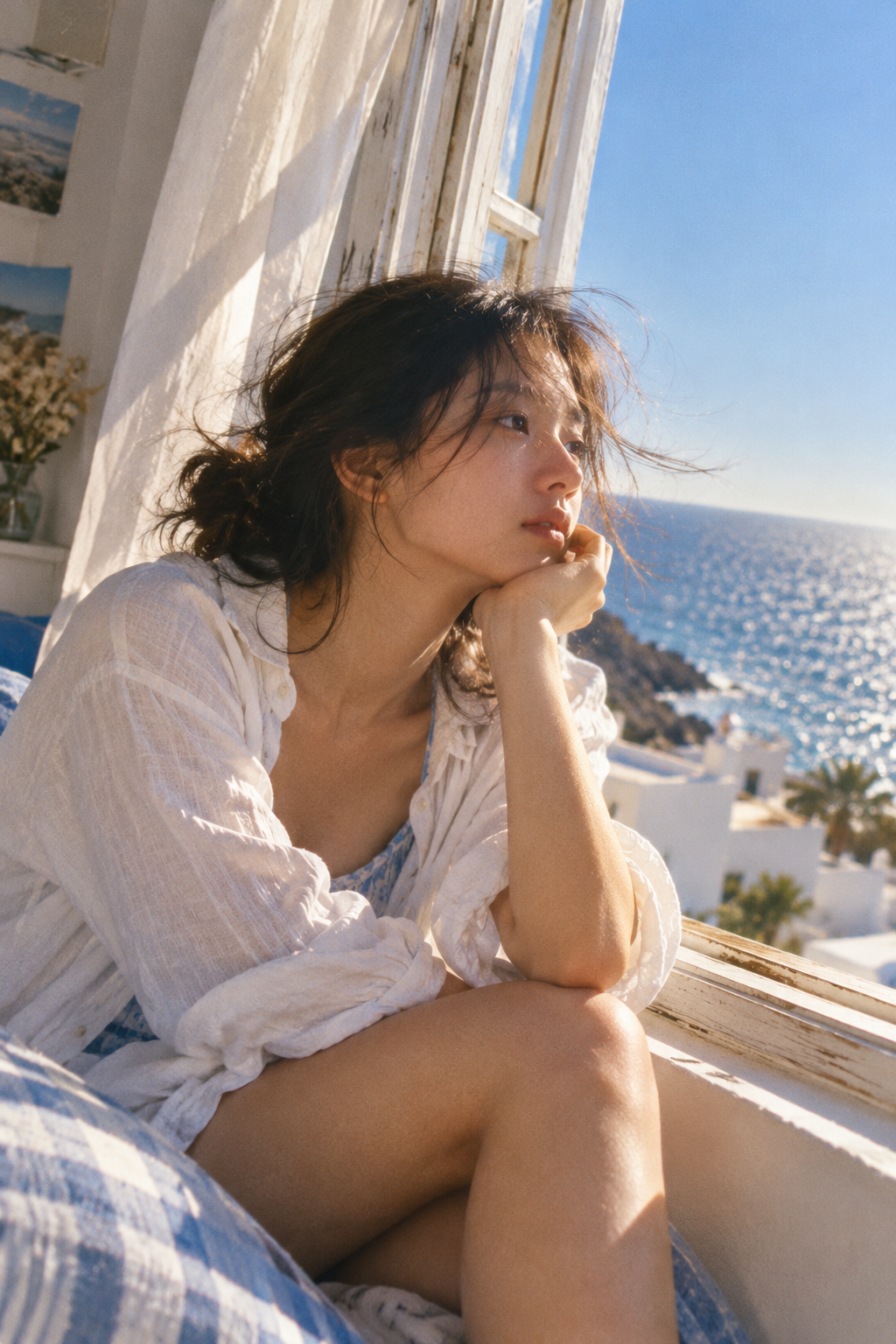
Light
Bright seaside sunlight lights the cheek, arms and thin shirt. Loose hair and fabric have softly luminous edges.
Color and contrast
Contrast sea blue and white with warm skin. Fine grain and slightly softened edges preserve a summer-film feeling.
Where to use this look
Sea-breeze movement, tilted snapshots, warm sunlight and blue-white lifestyle photography.
Build the look
- Use a white window, pale fabric and a blue sea background to establish the palette.
- Describe breeze through loose hair and curtains while keeping the pose simple and readable.
- Add fine grain and gently soft edges after the light and composition are clear.
An editable starting prompt
Replace the subject and setting with your own. Use images you have permission to use.
A young Asian woman sits thoughtfully by a window. A young woman in a thin white shirt and blue-white patterned fabric sits with bent knees at an old white window, resting her chin in her hand. Her dark hair is loosely pinned up; loose strands and the curtain move in the breeze, with blue sea and white coastal buildings outside.
Visual style: Summer film photography, lifestyle imagery, close framing, warm skin against sea blue, blue-white palette.
Lighting: Bright seaside sunlight lights the cheek, arms and thin shirt. Loose hair and fabric have softly luminous edges.
Color relationships: Contrast sea blue and white with warm skin. Fine grain and slightly softened edges preserve a summer-film feeling.
A single image, with no text or watermark.
If the result misses the mark
If the image looks faded and muddy, ask for clear whites and natural contrast. If the grain obscures skin, reduce it instead of adding more sharpness.
Try it in WINDOWLIGHT
- Copy the full prompt above, or choose a shorter variant.
- Open the style library and choose a reference that matches your lighting direction.
- Use the reference in the studio and paste your adapted prompt. Review the available model, price and settings before generating.
- Save the result and compare it against the checklist above. Change one instruction before trying again.
Copying a prompt is free. Generating images may require signing in and paid credits; the studio shows current availability and pricing.
Open the style library ↗