FIELD NOTE · WINDOWLIGHT EDITORIAL
Golden-hour AI portrait prompts: rim light without a dark face
Copy a golden-hour portrait prompt and fix silhouettes, orange skin and excessive flare with a clear backlight and reflected-fill workflow.
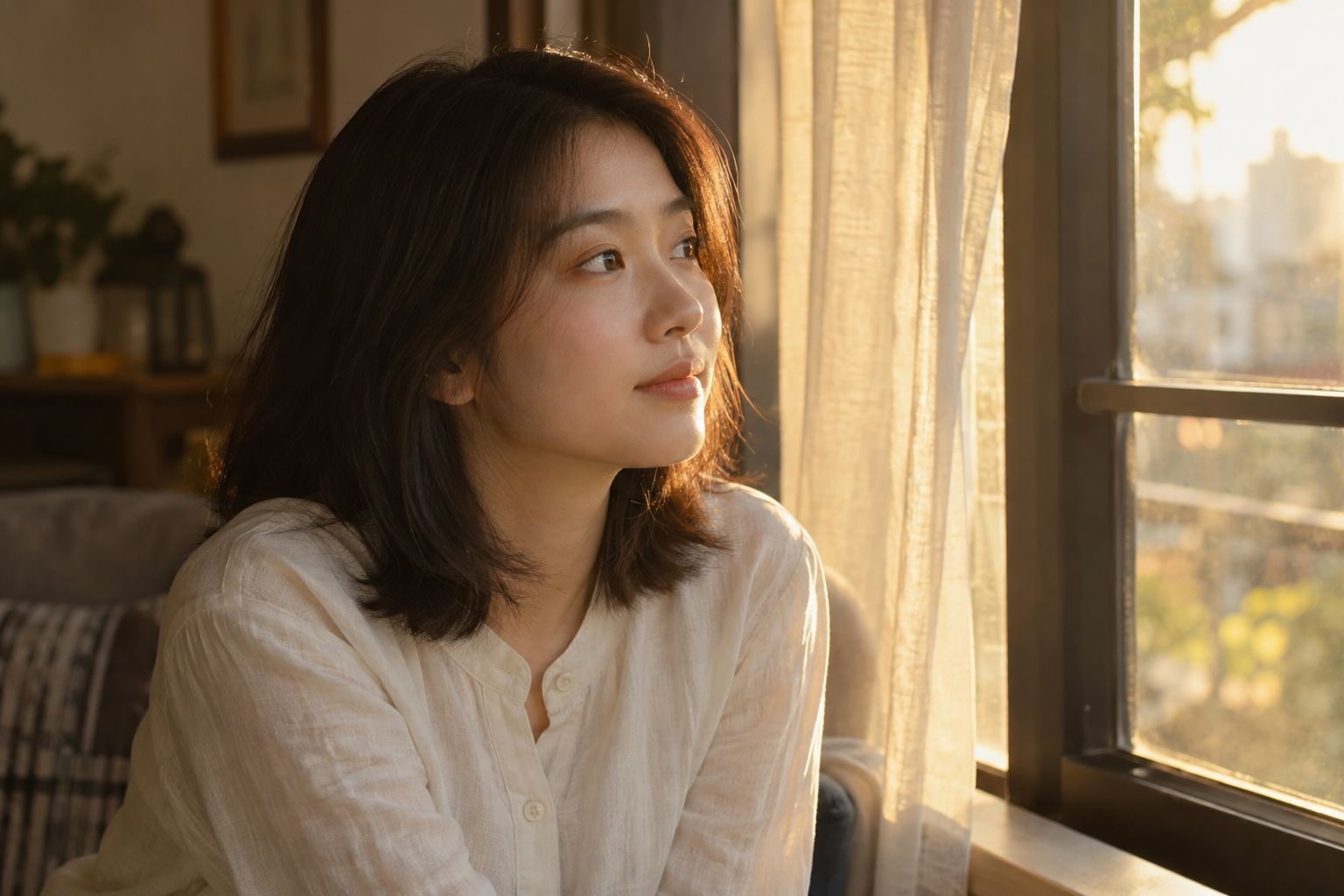
Light
Low warm sun from behind, plus natural wall bounce. Do not light the shadow side as though a spotlight were aimed at it.
Color and contrast
Warm golden highlights and relatively neutral shadows. Restrain highlights enough to preserve detail along the hair edges.
Where to use this look
Warm memories, intimate portrait sessions, comforting themes and lifestyle posters.
The short answer
Put the warm light behind the subject, then describe soft reflected light on the face. Keep the sun near or beyond the frame edge and separate warm highlights from relatively neutral skin and shadows.
Change one decision at a time
These editable exercises are not model benchmarks. Keep your subject, model and settings constant where possible. Save the prompt alongside each output so you can compare what changed.
Readable backlight
Waist-up portrait of an adult near sunset. Warm light behind and to the side catches the hair, soft light reflected from a pale wall illuminates the face, readable eyes, restrained flare, natural skin color.
The hair can glow while the eyes and face remain visible.
Quiet window sunset
An adult beside a window at sunset, warm edge light on hair and shoulders, gentle reflected fill from an interior wall, an uncluttered room, controlled highlights and relatively neutral facial shadows.
Check that the wall fill stays softer than the main light.
Flare correction
Keep the sunset backlight and framing. Place the bright light source just outside the frame, reduce lens flare across the face and retain a thin warm rim along the hair.
A reduced flare should reveal the face without removing the backlit mood.
Diagnose the result
| What went wrong | What to change | What to inspect |
|---|---|---|
| Face becomes a silhouette | Ask for soft reflected light on the face; avoid only describing the bright background. | Are the eyes and expression visible? |
| Skin is orange everywhere | Limit warmth to the highlights and request natural skin with neutral shadows. | Does the warm light remain without a uniform orange cast? |
| Flare covers the eyes | Reduce flare and move the light source outside the frame. | Is the face unobscured? |
| Hair edge clips to white | Request restrained highlights and visible hair strands along the lit edge. | Is the rim light detailed rather than a white band? |
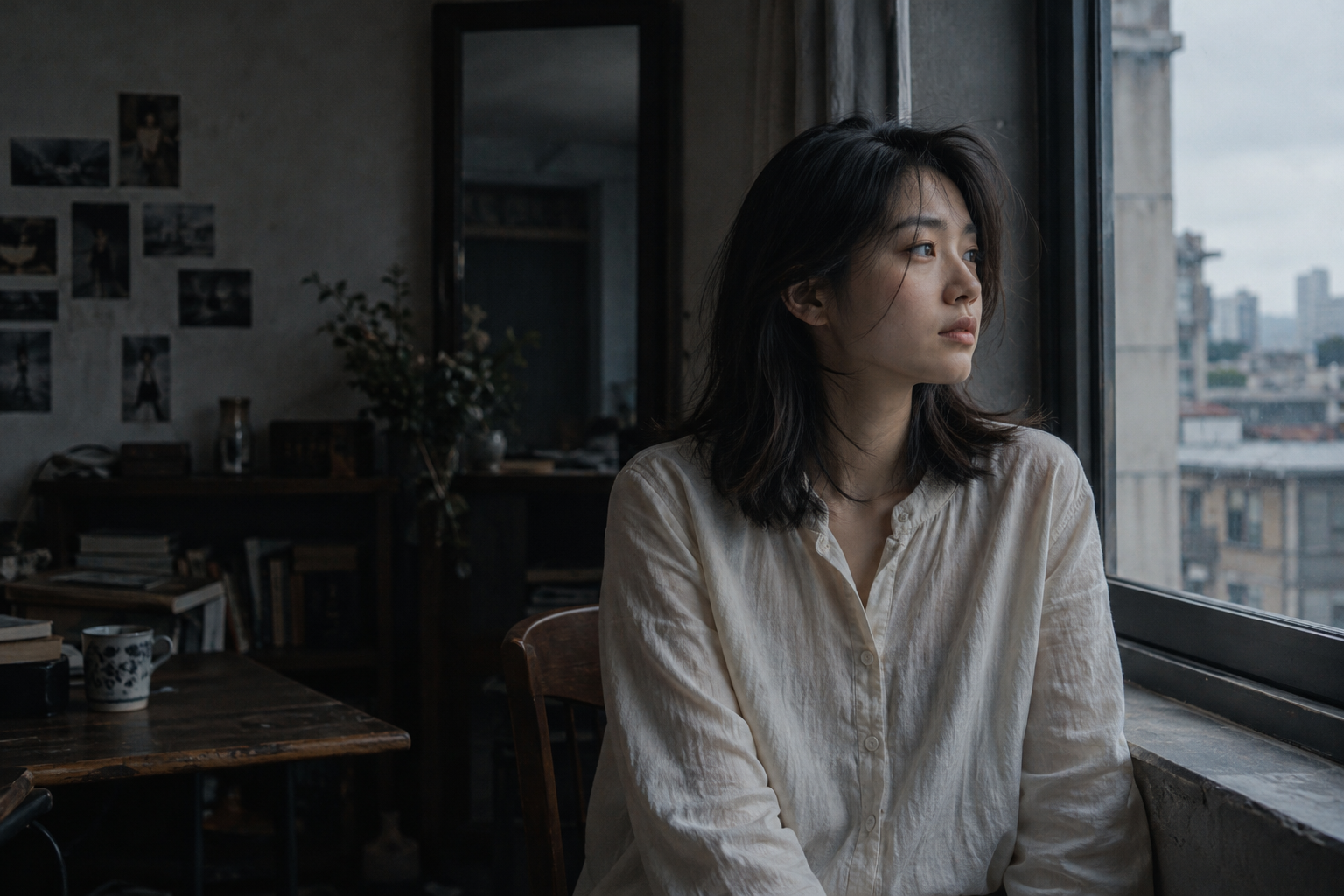
Compare the lighting direction
Two published style-library references, not a controlled before-and-after test. Compare the position of bright edges and facial shadows; the subjects and settings may differ.
Questions before you generate
Does golden hour mean every part of the image must be orange?
No. Keep warmth concentrated in the light and reflections. Relatively neutral shadows can preserve skin separation and prevent a heavy filter effect.
Why does the face stay dark when I request backlight?
Backlight describes light behind the subject. Also describe how the face receives softer light, for example from a pale wall, and inspect the result.
Are the samples a before-and-after test?
No. The images are existing published style references. The prompt variants are editable exercises; they are not presented as controlled model benchmarks or guaranteed results.
Updated 2026-10-26 · WINDOWLIGHT editorial. The illustrations are published references, not newly generated test results. Guidance should be checked against your selected model and actual outputs.
Build the look
- Place the sun behind and to one side of the subject so the hair and shoulders catch a rim of light.
- Keep soft reflected light on the face. The brightest parts should be controlled highlights rather than a fully white sky.
- Inspect eyes and skin before increasing the warmth. Ask for a natural skin tone if the whole frame becomes orange.
An editable starting prompt
Replace the subject and setting with your own. Use images you have permission to use.
A 22-year-old woman with dark shoulder-length hair, wearing an ivory long-sleeved linen shirt, sits thoughtfully beside a window, looking outside with a natural expression and relaxed posture.
Golden-hour window backlight, rim-lit hair, soft reflected light on the face, honey-colored highlights, natural shadows and a subtle glow.
Composition and lens: Approximately an 85mm field of view, medium shot; place the sun at or outside the frame edge to reduce flare obscuring the subject.
Lighting: Low warm sun from behind, plus natural wall bounce. Do not light the shadow side as though a spotlight were aimed at it.
Color and tone: Warm golden highlights and relatively neutral shadows. Restrain highlights enough to preserve detail along the hair edges.
Realistic photography with subtle pores, natural flyaway hair and fabric folds, coherent light direction and window reflections. Avoid plastic skin, excessive smoothing, oversharpening and unnatural background blur.
If the result misses the mark
If the face is a silhouette, add soft reflected fill to the face. If flare covers the eyes, reduce flare and move the light source off axis.
Try it in WINDOWLIGHT
- Copy the full prompt above, or choose a shorter variant.
- Open the style library and choose a reference that matches your lighting direction.
- Use the reference in the studio and paste your adapted prompt. Review the available model, price and settings before generating.
- Save the result and compare it against the checklist above. Change one instruction before trying again.
Copying a prompt is free. Generating images may require signing in and paid credits; the studio shows current availability and pricing.
Open the style library ↗