FIELD NOTE · WINDOWLIGHT EDITORIAL
Black-and-white AI portrait prompts: keep detail in shadows
Build a monochrome AI portrait with a copyable prompt, side-light variants and fixes for crushed blacks, flat faces and missing hair detail.
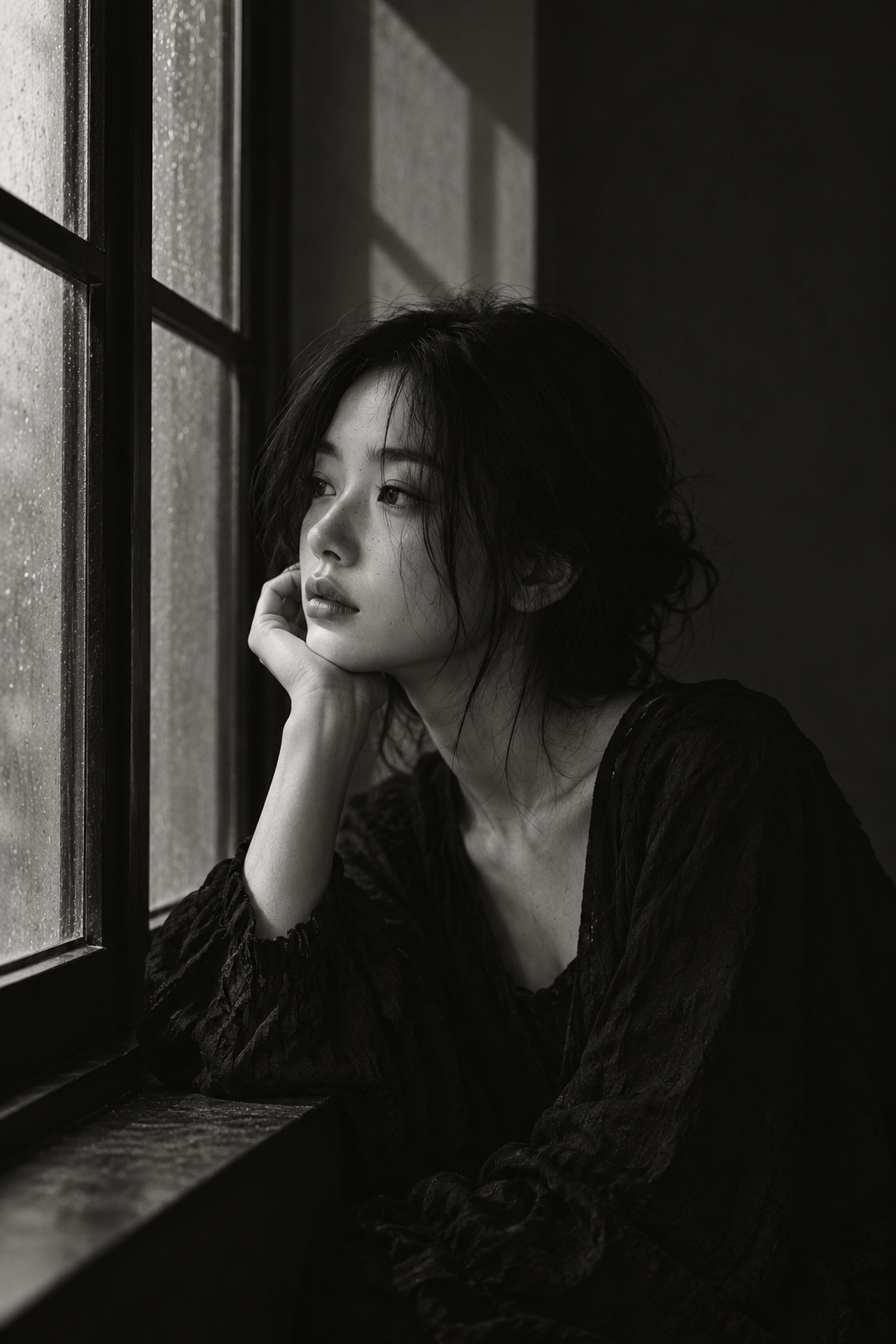
Light
Window light from the left lights the eyes, cheek and hands. Keep depth in the dark fabric and wall; window shadows emphasize the room's straight lines.
Color and contrast
Preserve delicate mid-gray tones in monochrome. Skin and glass should be brighter than clothing and the interior background.
Where to use this look
Studies in monochrome light and shade, window geometry and quiet portraiture.
The short answer
Describe the light and tonal separation, not only black and white. Keep the face in readable midtones, the background distinct from hair, and enough detail in dark fabric to separate the subject from the room.
Change one decision at a time
These editable exercises are not model benchmarks. Keep your subject, model and settings constant where possible. Save the prompt alongside each output so you can compare what changed.
Soft monochrome
Black-and-white waist-up portrait of an adult beside a large window. Soft light from the left, gentle gray transitions across the face, visible texture in dark clothing, an uncluttered medium-gray background.
Look for a gradual transition from the lit cheek to the unlit cheek.
Low-key monochrome
Black-and-white portrait in a dim room with a narrow window on the left. Directional light on the eyes and cheek, dark background, a distinct outline between hair and wall, subtle visible detail in shadowed fabric.
The scene can be dark without losing the eyes, hair outline or fabric.
Shadow detail revision
Keep the monochrome palette and composition. Gently lift the darkest face and clothing tones, retain a dark background and preserve visible separation around the hair.
Avoid making the entire frame gray when only the shadow detail needs attention.
Diagnose the result
| What went wrong | What to change | What to inspect |
|---|---|---|
| Hair merges with the wall | Separate the background tone from the hair or add a restrained edge highlight. | Is the silhouette readable at thumbnail size? |
| Black clothing becomes a blank patch | Request visible texture in dark fabric and reduce crushed blacks. | Can you still identify folds? |
| Face looks flat | Describe one-sided illumination and a gradual shadow transition. | Are the nose and cheek defined by light? |
| Image looks gray and washed out | Retain a dark anchor in the background while keeping skin in midtones. | Do bright, middle and dark tones all remain? |
Questions before you generate
Is high contrast always better for black-and-white portraits?
No. A high-contrast look is one option. Choose the contrast around the expression and intended use, and check that important details remain readable.
Can I preserve the exact person from a photo?
A text prompt alone cannot guarantee identity. If your chosen model supports reference images, use a photo you have permission to use and review the output carefully.
Should I add color descriptions to a monochrome prompt?
Prefer light and dark relationships when the goal is monochrome. Conflicting color instructions may distract from the intended tonal structure.
Updated 2026-10-26 · WINDOWLIGHT editorial. The illustrations are published references, not newly generated test results. Guidance should be checked against your selected model and actual outputs.
Build the look
- Choose a half-length composition and keep the window grid simple. A busy grid can compete with the face.
- Specify light from one side and visible detail in the dark clothing. Black-and-white does not require crushed blacks.
- Check the separation between hair, clothing and background. Add gentle reflected fill if these merge.
An editable starting prompt
Replace the subject and setting with your own. Use images you have permission to use.
A young Asian woman sits thoughtfully by a window. A young woman in a dark textured dress rests her chin beside an old window dotted with water. Her dark hair is loosely pinned up and she looks out to the left. High windowpanes cast simple geometric shadows on the wall.
Visual style: Black-and-white portraiture, low-key lighting, close half-length framing and low brightness.
Lighting: Window light from the left lights the eyes, cheek and hands. Keep depth in the dark fabric and wall; window shadows emphasize the room's straight lines.
Color relationships: Preserve delicate mid-gray tones in monochrome. Skin and glass should be brighter than clothing and the interior background.
A single image, with no text or watermark.
If the result misses the mark
If the face loses structure, describe side lighting rather than only requesting black-and-white. If the scene looks flat, separate the background tone from the subject.
Try it in WINDOWLIGHT
- Copy the full prompt above, or choose a shorter variant.
- Open the style library and choose a reference that matches your lighting direction.
- Use the reference in the studio and paste your adapted prompt. Review the available model, price and settings before generating.
- Save the result and compare it against the checklist above. Change one instruction before trying again.
Copying a prompt is free. Generating images may require signing in and paid credits; the studio shows current availability and pricing.
Open the style library ↗