FIELD NOTE · WINDOWLIGHT EDITORIAL
Cinematic AI portrait prompts: window light and natural skin
Copy a window-light portrait prompt, choose soft or dramatic lighting, and troubleshoot plastic skin, teal faces and flat backgrounds.
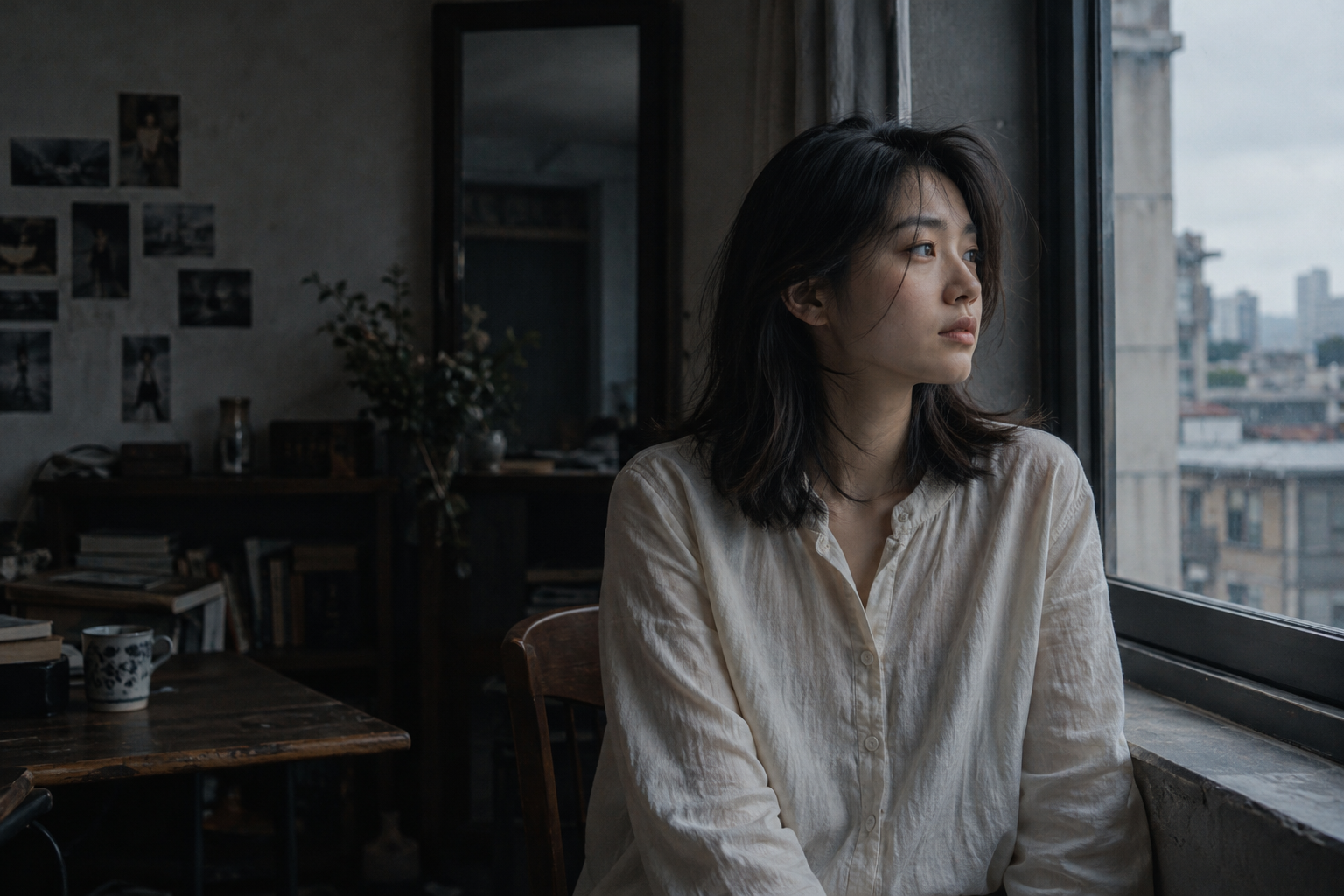
Light
Overcast window light from the side; keep the unlit side in deeper shadow instead of illuminating every corner.
Color and contrast
Cool gray surroundings, deep blacks, natural skin tones and a little grain. Avoid tinting every shadow cyan.
Where to use this look
Suspense covers, psychological character scenes and cinematic storyboards with spatial depth.
The short answer
Start with one window as the main light source, describe its direction, and keep skin neutral while grading the shadows. Change one lighting choice at a time; adding more quality adjectives is not a reliable substitute for a clear scene.
Change one decision at a time
These editable exercises are not model benchmarks. Keep your subject, model and settings constant where possible. Save the prompt alongside each output so you can compare what changed.
Soft window light
Waist-up portrait of an adult beside a large window on an overcast day. Soft side light, a gentle shadow on the far cheek, neutral skin color, subtle natural texture, quiet room background.
Check that the far cheek is darker but still has detail.
Dramatic window light
Waist-up portrait of an adult in a dim room beside a narrow window. One directional side light, a deeper unlit cheek, readable eyes, neutral skin color, visible room context.
Keep the eye readable; deeper shadows should not erase the face.
Natural skin revision
Keep the subject, framing and light direction. Use restrained skin highlights, subtle pores and tonal variation. Avoid a beauty-retouched finish, waxy highlights and exaggerated sharpening.
Compare at normal viewing size as well as a face crop. More pores alone do not guarantee realism.
Diagnose the result
| What went wrong | What to change | What to inspect |
|---|---|---|
| Skin looks plastic | Reduce glossy highlights and conflicting beauty-retouching language; request restrained texture. | Does skin retain tonal variation without looking gritty? |
| Face turns teal | Specify neutral skin and cool background shadows separately. | Is the face less blue while the room keeps its mood? |
| Everything looks flat | Name the light direction and preserve a shadow side. | Can you identify the main source without reading the prompt? |
| Result ignores the room | Use a waist-up or environmental framing description. | Does the window and surrounding space remain visible? |
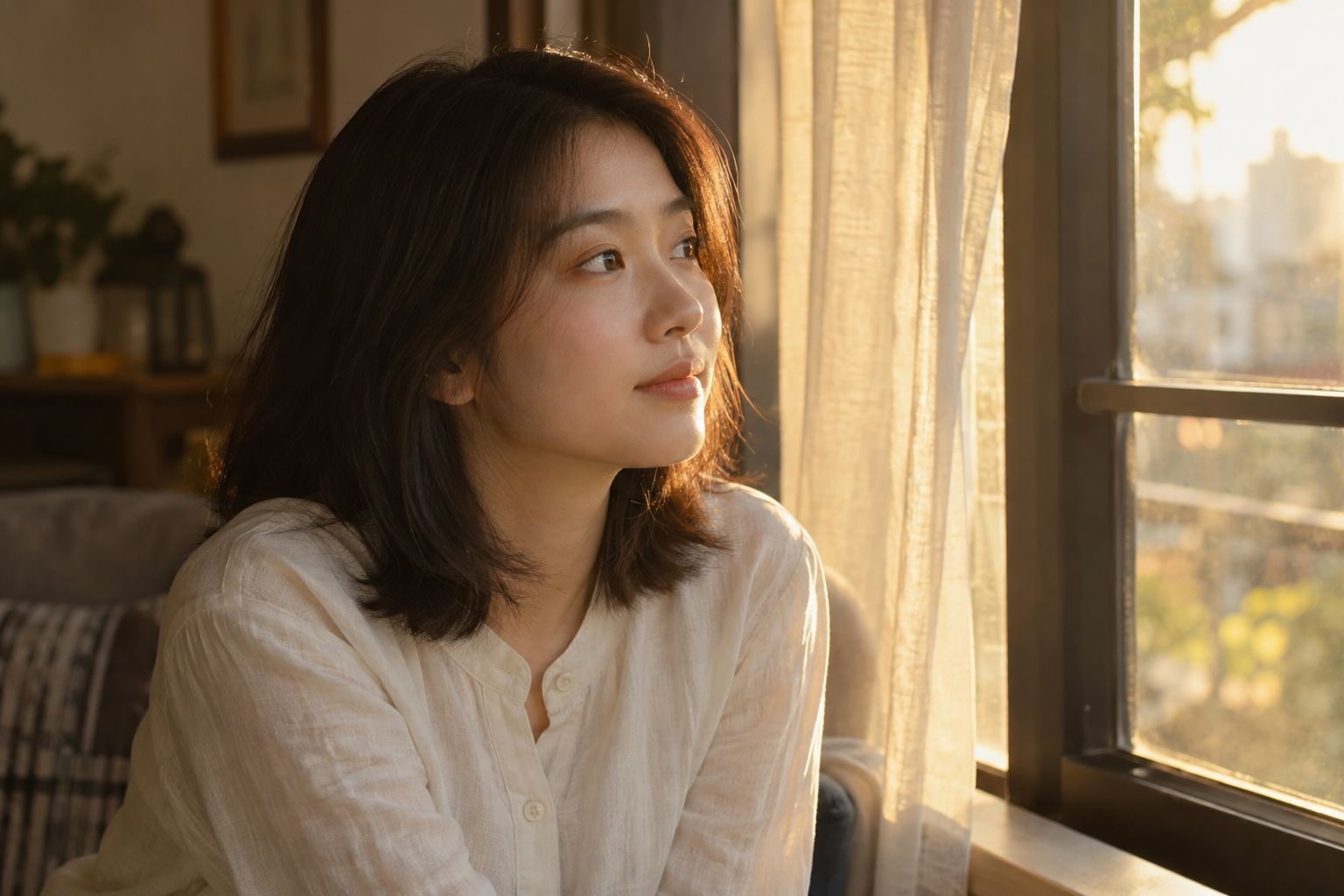
Compare the lighting direction
Two published style-library references, not a controlled before-and-after test. Compare the position of bright edges and facial shadows; the subjects and settings may differ.
Questions before you generate
Does adding 8K or an 85mm lens guarantee realism?
No. These are descriptive cues, not camera controls or a resolution guarantee. Start with light direction, framing and believable materials; inspect the actual output.
Can I use the same prompt in every model?
Treat these as plain-language starting points. Models interpret detail differently; use only the reference and editing controls supported by your selected model.
How should I compare two versions?
Keep the model, subject, framing and settings constant where possible. Change only the lighting phrase, save both prompts, and compare eyes, skin and shadows. Generation variation means a single pair is not proof of a universal improvement.
Updated 2026-10-26 · WINDOWLIGHT editorial. The illustrations are published references, not newly generated test results. Guidance should be checked against your selected model and actual outputs.
Build the look
- Keep the room in the composition: a window frame and an empty area should establish a scene, rather than cropping everything into a face.
- Describe a single overcast window as the main source. Leave the far side of the face in shadow while keeping the eye readable.
- Compare the result at thumbnail size, then inspect the face. Reduce blue grading if the skin has become gray.
An editable starting prompt
Replace the subject and setting with your own. Use images you have permission to use.
A 22-year-old woman with dark shoulder-length hair, wearing an ivory long-sleeved linen shirt, sits thoughtfully beside a window, looking outside with a natural expression and relaxed posture.
Cool, restrained Nolan-inspired cinematography, environmental composition, side window light, cool gray shadows, understated skin tones and fine film grain.
Composition and lens: Approximately a 40mm field of view, medium shot, subject off-center. Retain some room detail so the environment contributes to the story.
Lighting: Overcast window light from the side; keep the unlit side in deeper shadow instead of illuminating every corner.
Color and tone: Cool gray surroundings, deep blacks, natural skin tones and a little grain. Avoid tinting every shadow cyan.
Realistic photography with subtle pores, natural flyaway hair and fabric folds, coherent light direction and window reflections. Avoid plastic skin, excessive smoothing, oversharpening and unnatural background blur.
If the result misses the mark
If the image looks uniformly teal, ask for neutral skin and cool shadows only. If it looks like a studio headshot, describe the room and the space around the subject.
Try it in WINDOWLIGHT
- Copy the full prompt above, or choose a shorter variant.
- Open the style library and choose a reference that matches your lighting direction.
- Use the reference in the studio and paste your adapted prompt. Review the available model, price and settings before generating.
- Save the result and compare it against the checklist above. Change one instruction before trying again.
Copying a prompt is free. Generating images may require signing in and paid credits; the studio shows current availability and pricing.
Open the style library ↗